Observe the desk at different times
Look at the desk in the morning, during your usual working time and, where relevant, in the evening. Daylight changes direction and strength, so one quick inspection does not cover every situation. Note when reflections appear or papers fall into shadow. Judge the view from your normal seated position rather than only while standing in front of the desk.
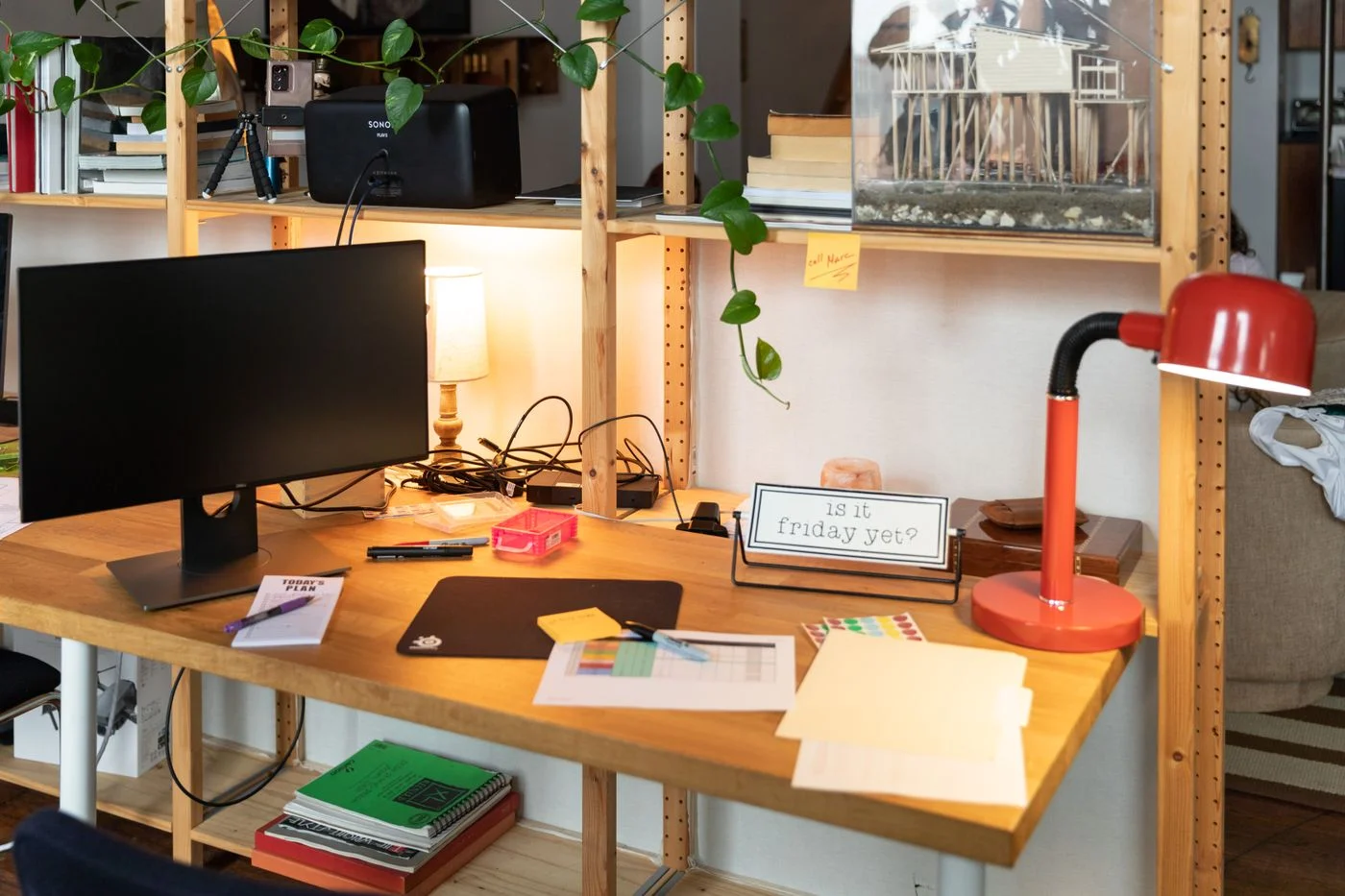
Distinguish general room lighting from light for a particular task. A bright lamp in the wrong place may reflect in the screen while leaving the page you need difficult to read. First examine the options already available: desk position, curtains, lamp direction and paper placement. There is no need to buy another device before identifying the actual limitation.
Look deliberately for screen reflections
Open a familiar document and inspect both lighter and darker areas of the display. Adjust the lamp position or screen direction where appropriate, then compare the same view again. A direct point of light reflected in the screen can be more distracting than more even room lighting. Consider bright surfaces behind you as well as the lamp immediately beside the computer.
Adjust display brightness to the surroundings using the intended controls. An extremely bright screen is not automatically the best response to every reflection. Check text size and contrast in the actual application rather than judging only a colourful wallpaper. These are practical settings, not medical treatment. Persistent discomfort or visual difficulties deserve individual professional assessment rather than a general recommendation for a different lamp.
Light paper where you actually use it
Place frequently used paperwork in its real working location and inspect small print, margin notes and any glossy surfaces. Aim an existing task light so your hands and surrounding objects obscure the important area as little as possible. Include actual writing movements in the trial rather than checking the page only while your hands are away from it.
Make sure the lamp itself does not continually get in the way or limit access to the keyboard and mouse. For a particular model, check stability and intended adjustments. Keep heat-producing and electrical parts clear according to manufacturer instructions. An adjustable lamp is useful only if it remains secure in the chosen position and reaches the needed direction without an awkward rearrangement each time.
Check the complete arrangement with a task
Spend a few minutes on an ordinary task using both screen and paper. Switch between them and notice whether you repeatedly reposition yourself, the page or the monitor to read something. Then change one part of the arrangement at a time. This makes it clearer which adjustment genuinely helps instead of attributing an improvement to several simultaneous changes.
Route power cables clearly and away from walking paths. Allow sufficient slack for the lamp’s intended movement without pulling on plugs. Review lighting after moving the desk. Keep an understandable basic arrangement that can adapt to different daylight. Useful task lighting here is not a single advertised feature: it is a combination of room, screen, paper and activity tested in ordinary use.
Aim lighting around the task and check reflections from your normal position.